
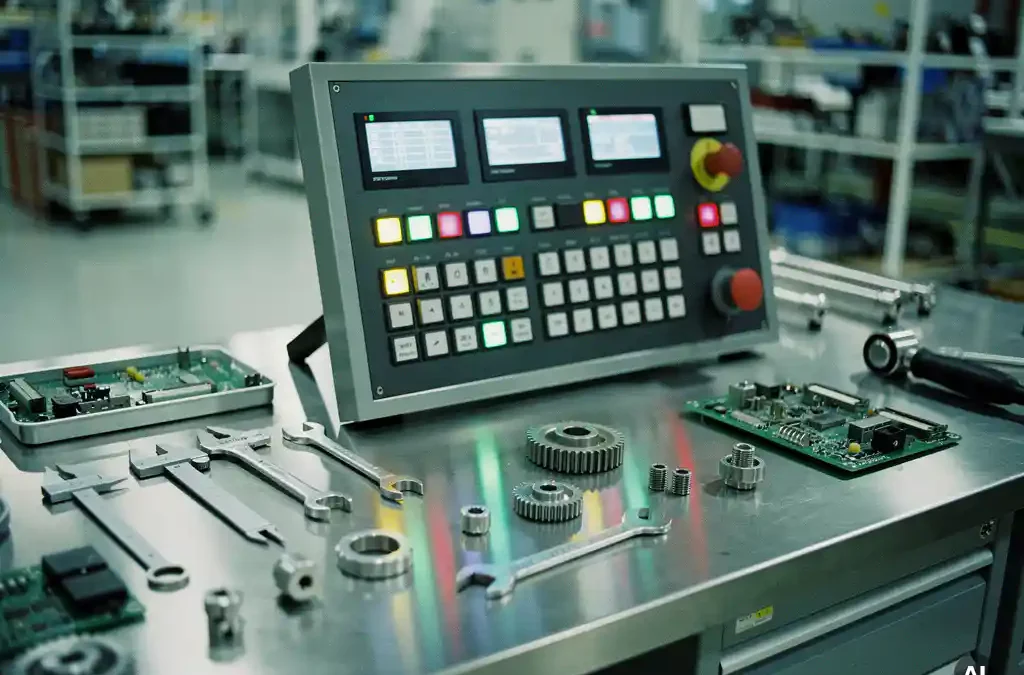
In the realm of manufacturing software, a "launchpad" refers to a central hub within a digital shopfloor application that streamlines access to various tools and functionalities. This concept is particularly relevant for manufacturers looking to enhance efficiency without disrupting existing workflows. A launchpad serves as the starting point for operators and managers to interact with the software, providing a user-friendly interface that integrates multiple applications into a cohesive system. Understanding how a launchpad functions can be crucial for optimizing shopfloor operations and improving overall productivity.
Understanding the Concept of a Launchpad
A launchpad in a shopfloor application acts as a centralized dashboard that brings together essential tools and data for easy access. It simplifies the user experience by offering a single point of entry to various modules, such as production execution, performance tracking, and issue resolution. This integration helps users navigate complex systems more efficiently, reducing the time spent switching between different applications.
By consolidating information and functionalities, a launchpad minimizes the cognitive load on operators. It allows them to focus on their tasks without being overwhelmed by unnecessary details. This streamlined approach is vital for maintaining productivity and ensuring that critical operations run smoothly.
How Launchpads Enhance Shopfloor Efficiency
Launchpads enhance shopfloor efficiency by providing real-time visibility and control over manufacturing processes. They enable operators to quickly access relevant data, such as production schedules, equipment status, and quality metrics, all from a single interface. This accessibility reduces the time spent on manual data retrieval and allows for faster decision-making.
Moreover, launchpads facilitate better communication and collaboration among team members. By centralizing information, they ensure that everyone has access to the same data, which helps in aligning efforts and reducing misunderstandings. This collaborative environment is crucial for achieving higher levels of efficiency and productivity on the shopfloor.
Integrating Launchpads with Existing Systems
Integrating a launchpad with existing systems requires careful planning and execution to ensure compatibility and functionality. The key is to connect the launchpad with various software modules and hardware components used in the manufacturing process. This integration enables seamless data flow and enhances the overall effectiveness of the shopfloor application.
One of the primary challenges in integration is ensuring that the launchpad can communicate effectively with legacy systems. This often involves using middleware or APIs to bridge the gap between old and new technologies. Successful integration results in a unified system that leverages existing infrastructure while introducing new capabilities.
Common Challenges in Implementing Launchpads
Implementing a launchpad in a shopfloor application can present several challenges, including resistance to change, technical compatibility issues, and data security concerns. Employees may be hesitant to adopt new systems, fearing disruptions to their established workflows. Overcoming this resistance requires effective change management strategies and training programs to build confidence in the new system.
Technical compatibility is another significant challenge. Ensuring that the launchpad can seamlessly integrate with existing systems and technologies is crucial for its success. Additionally, data security must be a priority, as the launchpad will handle sensitive information related to production processes and operations.
Real-World Examples of Launchpad Success
Manufacturers that have successfully implemented launchpads in their shopfloor applications have reported significant improvements in productivity and efficiency. For instance, companies using the Factorise platform have seen a 28% boost in productivity and a 20% reduction in costs. These results demonstrate the tangible benefits of integrating a launchpad into manufacturing operations.
Another example is the use of launchpads to enhance cross-shift collaboration. By providing a centralized hub for communication and data sharing, launchpads have improved shift handovers and reduced downtime. These real-world successes highlight the potential of launchpads to transform manufacturing processes.
Choosing the Right Launchpad for Your Needs
Selecting the right launchpad involves evaluating your specific manufacturing requirements and the capabilities of different solutions. Consider factors such as ease of integration, user interface design, and the ability to customize the launchpad to suit your operations. It's also important to assess the vendor's support and training offerings to ensure a smooth implementation process.
When evaluating options, look for a launchpad that aligns with your strategic goals and can grow with your business. The right choice will not only enhance current operations but also provide a foundation for future innovations. For more insights on digital manufacturing, visit our **digital manufacturing** page.
Ready to take the first step? We like to start with a fit-gap session: a day or two to understand where you are, which pain points are most urgent, and which modules deliver the fastest value. **Book your first fit-gap session**. No sales pitch. Just an honest conversation about what's realistic.
Frequently Asked Questions
What are the key benefits of using a launchpad in manufacturing software?
A launchpad centralizes access to various tools and data, enhancing efficiency by reducing time spent switching between applications. It improves communication, aligns team efforts, and facilitates real-time decision-making, leading to increased productivity.
How do launchpads improve collaboration on the shopfloor?
Launchpads centralize information and provide a single point of access for all team members, ensuring everyone has the same data. This reduces misunderstandings and enhances collaboration, particularly during shift handovers and cross-functional tasks.
What should I consider when integrating a launchpad with existing systems?
Ensure compatibility with legacy systems, possibly using middleware or APIs to bridge gaps. Plan for seamless data flow and prioritize data security to protect sensitive information during integration.
How can I overcome resistance to implementing a launchpad?
Implement effective change management strategies, provide comprehensive training, and communicate the benefits clearly to employees. Building confidence in the new system is key to overcoming resistance.
What are common challenges in implementing a launchpad, and how can they be addressed?
Challenges include resistance to change, technical compatibility issues, and data security concerns. Address these by planning integration carefully, ensuring technical compatibility, and prioritizing data security measures.
How do I choose the right launchpad for my manufacturing needs?
Evaluate your specific requirements, the ease of integration, user interface design, and customization options. Consider the vendor's support and training offerings to ensure a smooth implementation process.
What real-world examples demonstrate the success of launchpads in manufacturing?
Companies using launchpads, like those on the Factorise platform, have reported significant productivity boosts and cost reductions. Launchpads have also improved cross-shift collaboration and reduced downtime, showcasing their transformative potential.
Related Articles
- What is MQTT and how does it move data from machines?
- What is the unified namespace concept in manufacturing IT?
- What is a Center of Excellence in manufacturing digitalisation?
- What does a typical shopfloor digitalisation roadmap look like?
- What is a fit-gap analysis before an MES implementation?
- How do you give management real-time visibility into production?
- What is QR-code scanning used for in manufacturing?
- What is Mendix and how is it used in manufacturing software?
- What is the role of digital tools in reducing labour dependency in manufacturing?
- What are digital work instructions in manufacturing?
- What is skill management in manufacturing?
- How do you make factory documentation accessible to operators on the production line?
- What is the difference between OEE and TEEP?
- How do you build a performance culture on the shopfloor?
- Why is the OEE number in most factories inaccurate?